Creating a Homepage Bitbucket Repository
The marble generate command assumes that a project has an associated Git repository. For historical reasons, Global Services keeps its homepage repositories on Bitbucket. A Bitbucket repo is created whenever a new homepage is created, whether it is for demo, staging, or production use.
This keeps your fellow developers in the loop, so that if there's a future issue with the homepage, someone can quickly look up the Bitbucket repo, troubleshoot the code, and fix the problem.
This guide will show you how to create a Bitbucket repository for a new Socrata homepage project.
Create repository
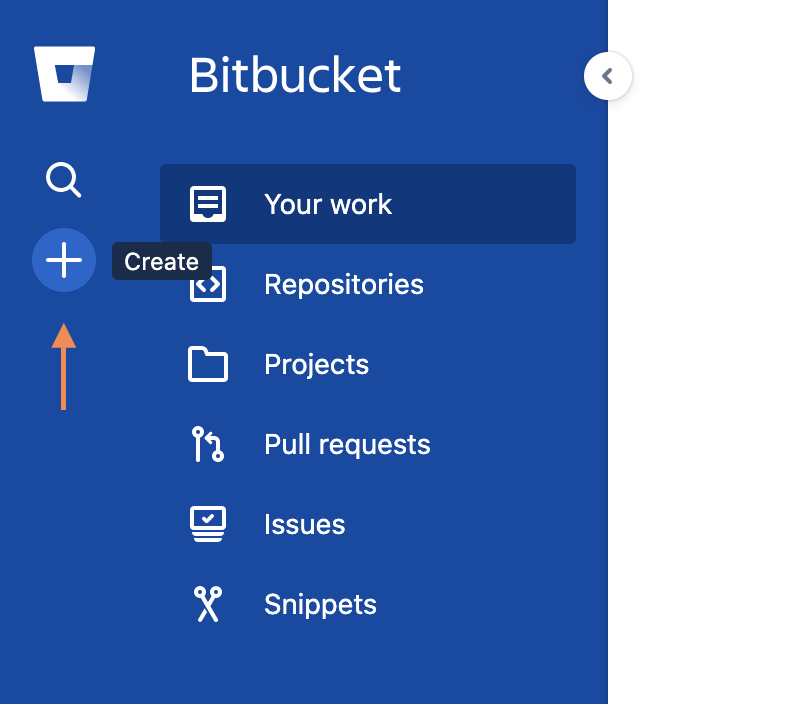
First, go to the Bitbucket dashboard. Click on the plus sign (+) button in the sidebar to create a new repository:
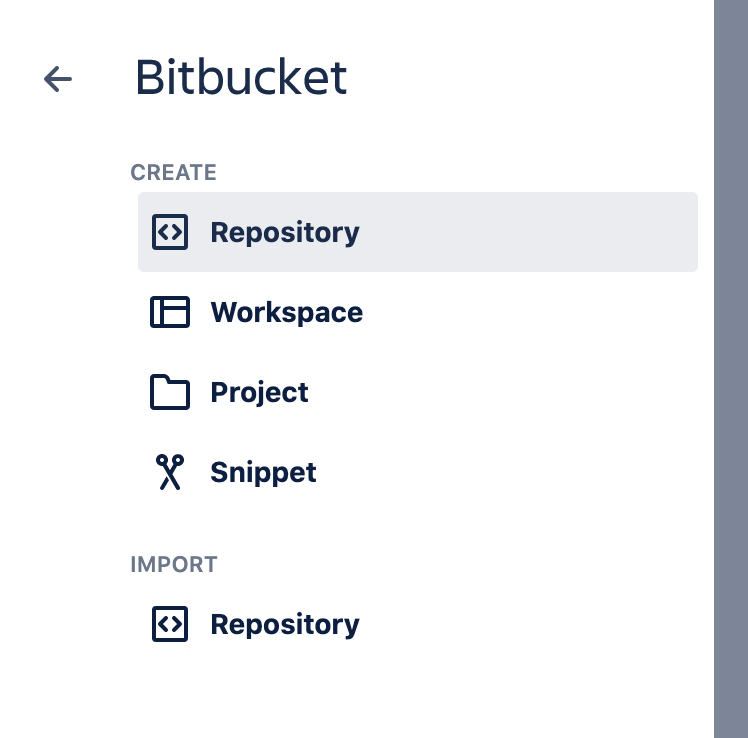
Next, select Repository under the Create section:
Configure repository
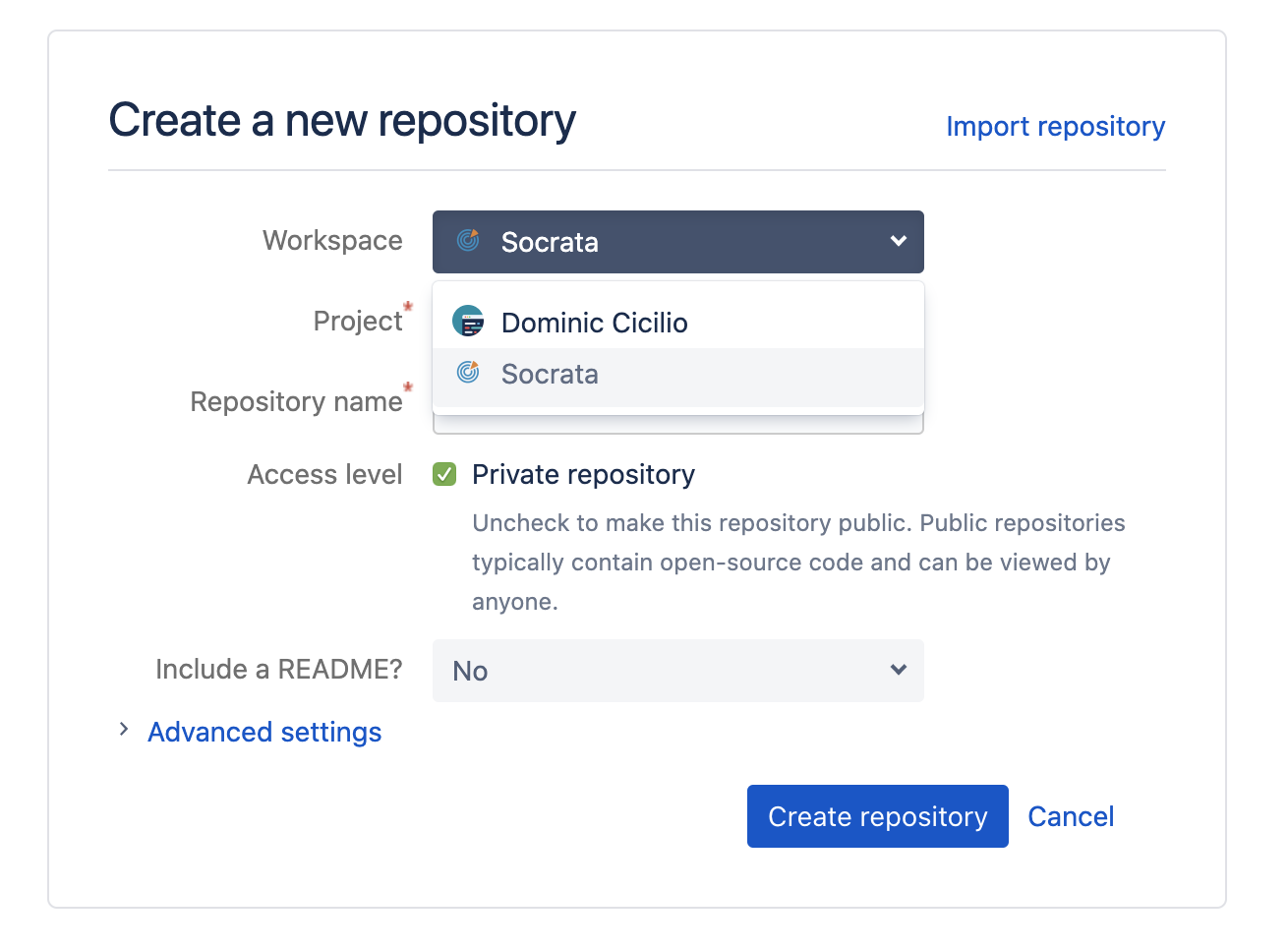
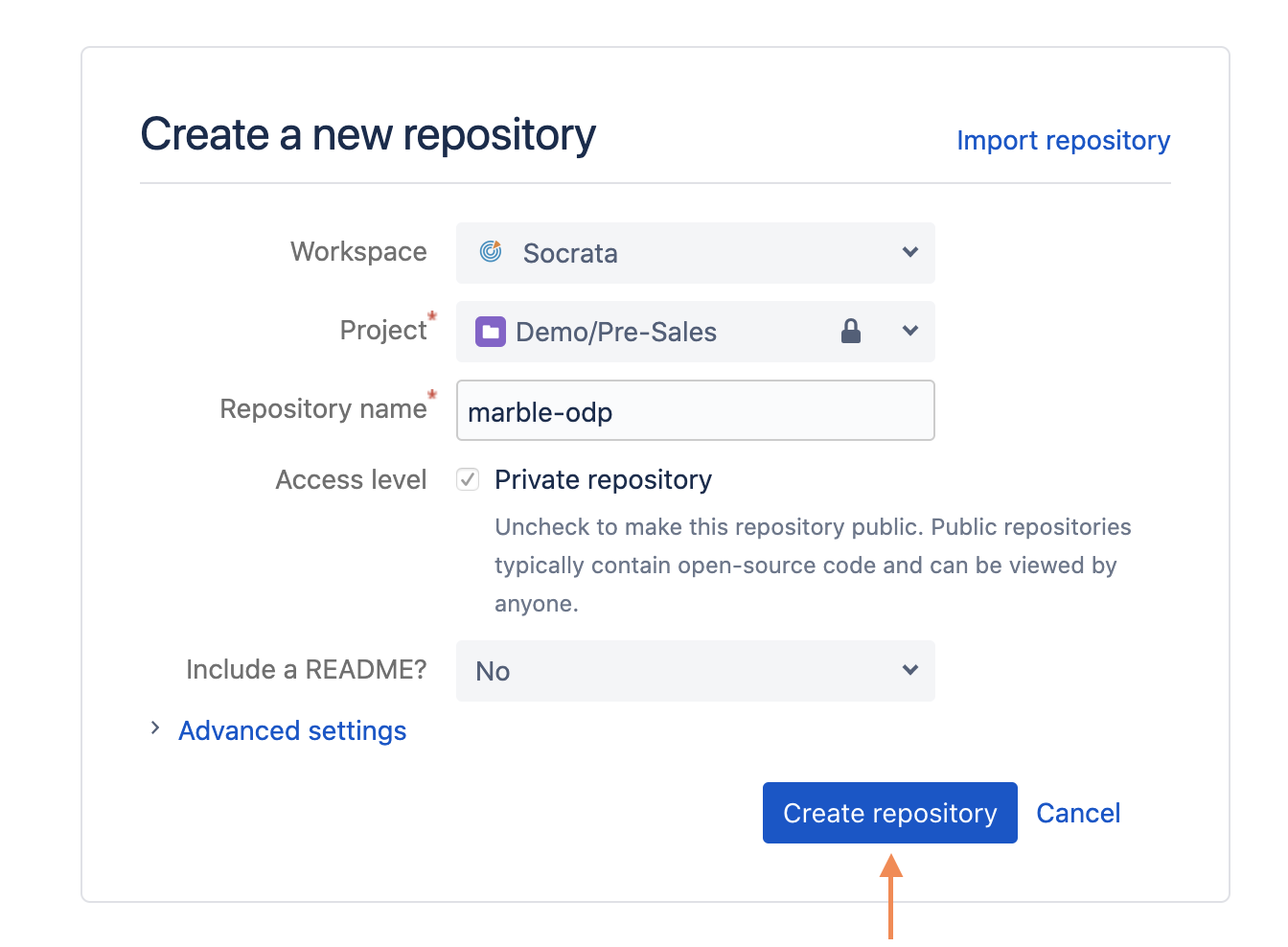
On the next screen that appears, set the repository Workspace to Socrata:
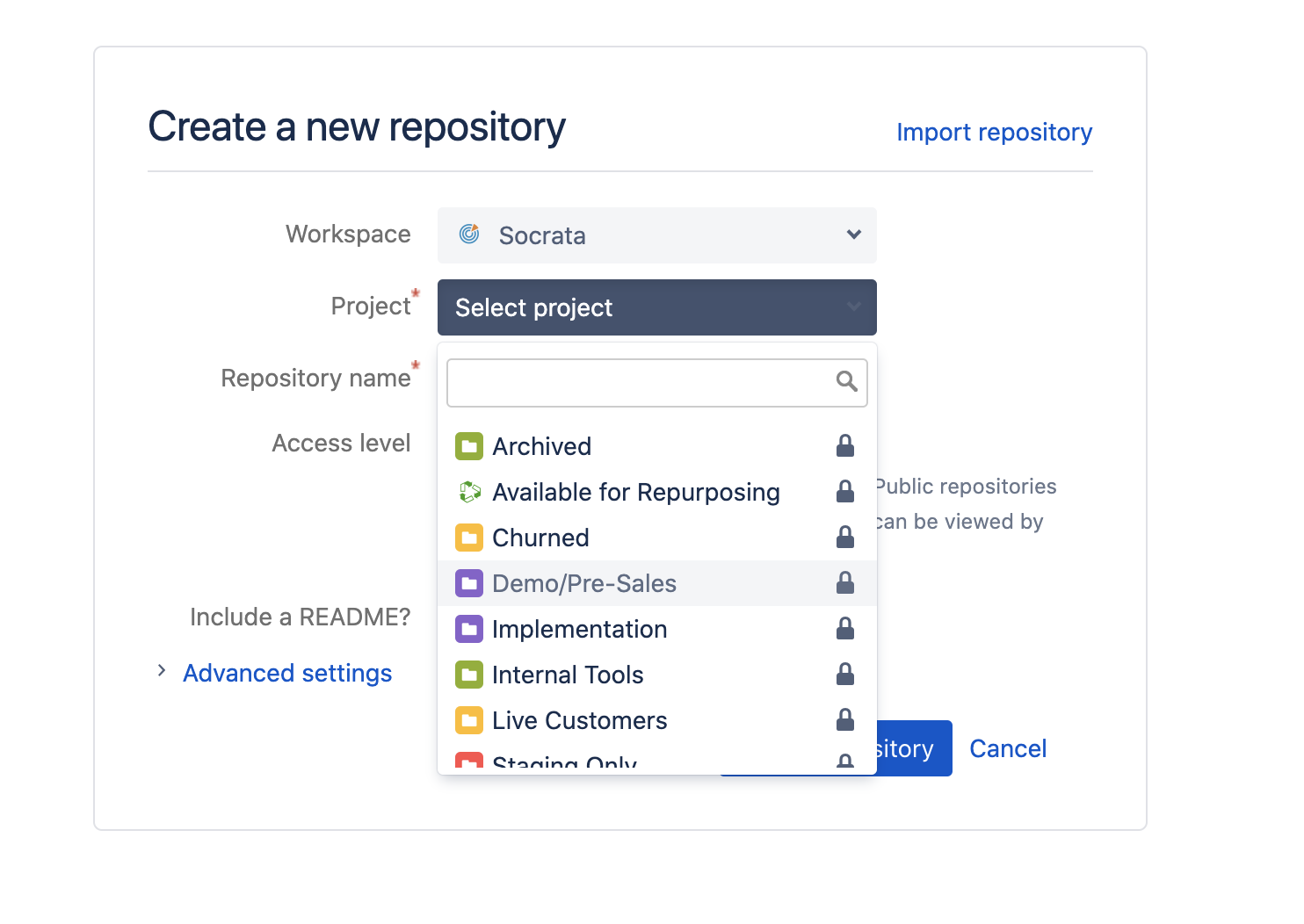
Select the appropiate project type using the Project dropdown:
Next, enter a repository name. Historically, repositories have been named after the associated Socrata domain. Marble now allows a project to include multiple domains and configurations (dev, staging, prod, etc.) so this is no longer a strict requirement. Still, your repository name should descriptively identify the client and Socrata instance type so that your fellow developers can easily identify the repository in the future.
Leave the other settings as is, preserving the default access level as Private and do not include a README or .gitignore, which marble creates. Click Create repository to finish creating the repo:
At this point, you should be taken to your new repo:
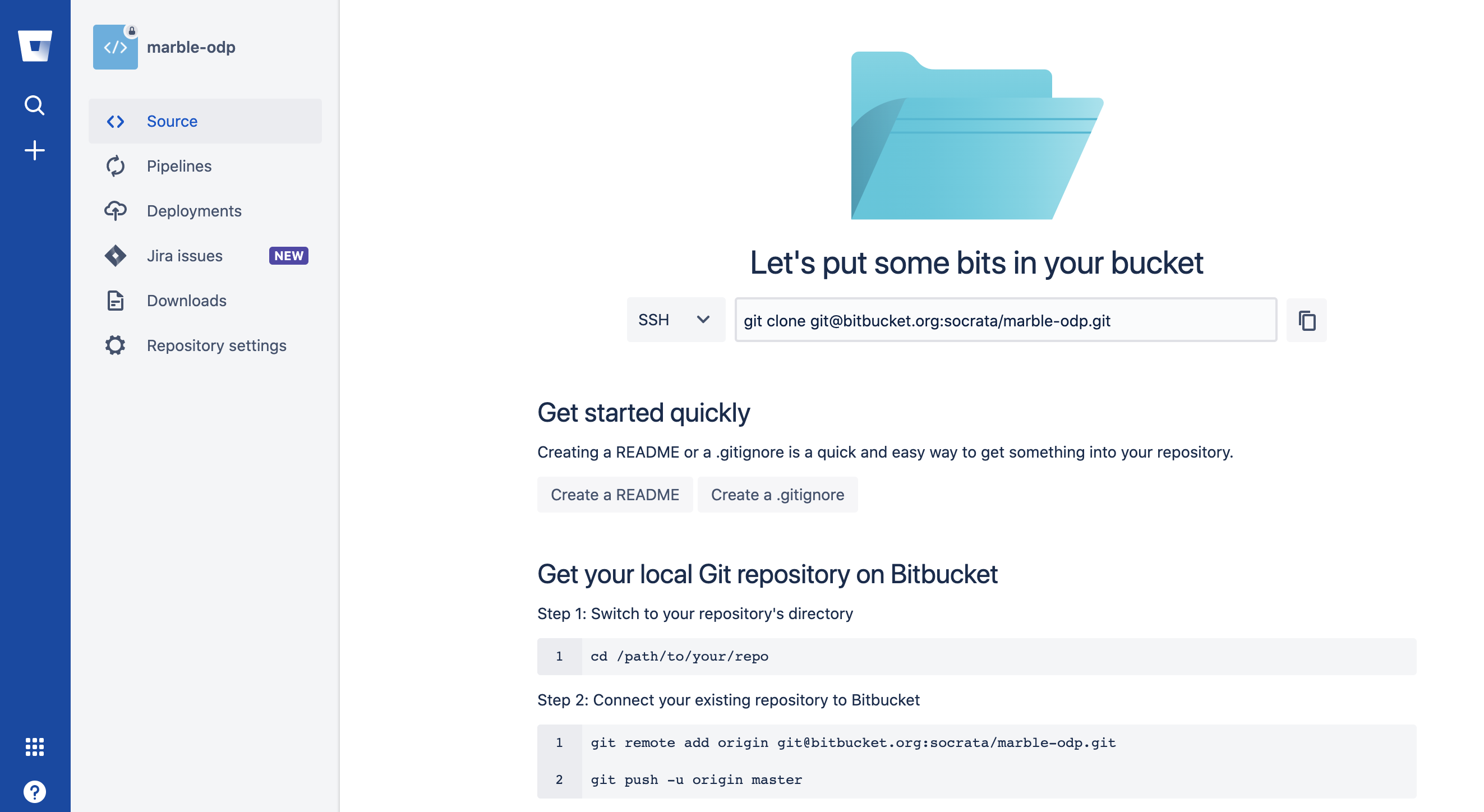
Congrats! You have successfully created a homepage Bitbucket repository.
Bonus: Generate a project using your new repository
Once you've completed the preceding steps, you can execute marble generate in your terminal to generate a homepage project that uses your new Bitbucket repository. Here's an example command:
marble generate --template rally --domain customer-name.demo.socrata.com --repo_name customer-name_odp --auth-env fedramp
This will generate a Rally homepage project with a default staging.marble.yml config file for the domain customer-name.demo.socrata.com. It will associate the local Git repository for the homepage project with the Bitbucket repo named customer-name_odp.